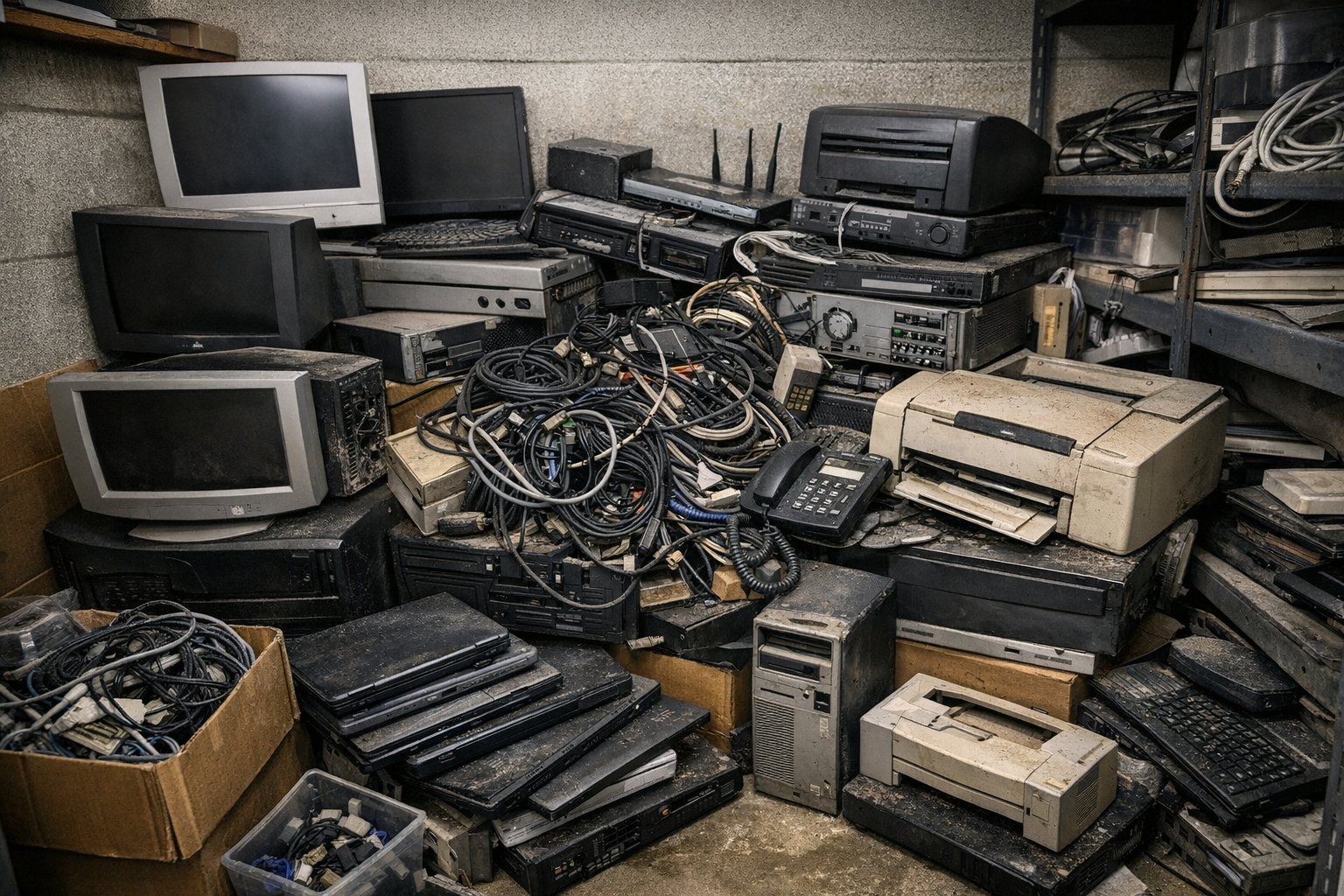
When Sacramento office manager Maria Chen got the email about their building lease ending, she had 90 days to relocate everything—including two server rooms full of aging equipment. The IT team could pack up active systems, but what about the old servers collecting dust? The ones still holding years of customer data?
She's not alone. Every day, Sacramento businesses face this same challenge with IT equipment recycling Sacramento companies stepping in to handle the process securely.
She's not alone. Every day, Sacramento businesses face this same challenge.
Why Old IT Equipment Isn't Just Another Recycling Job
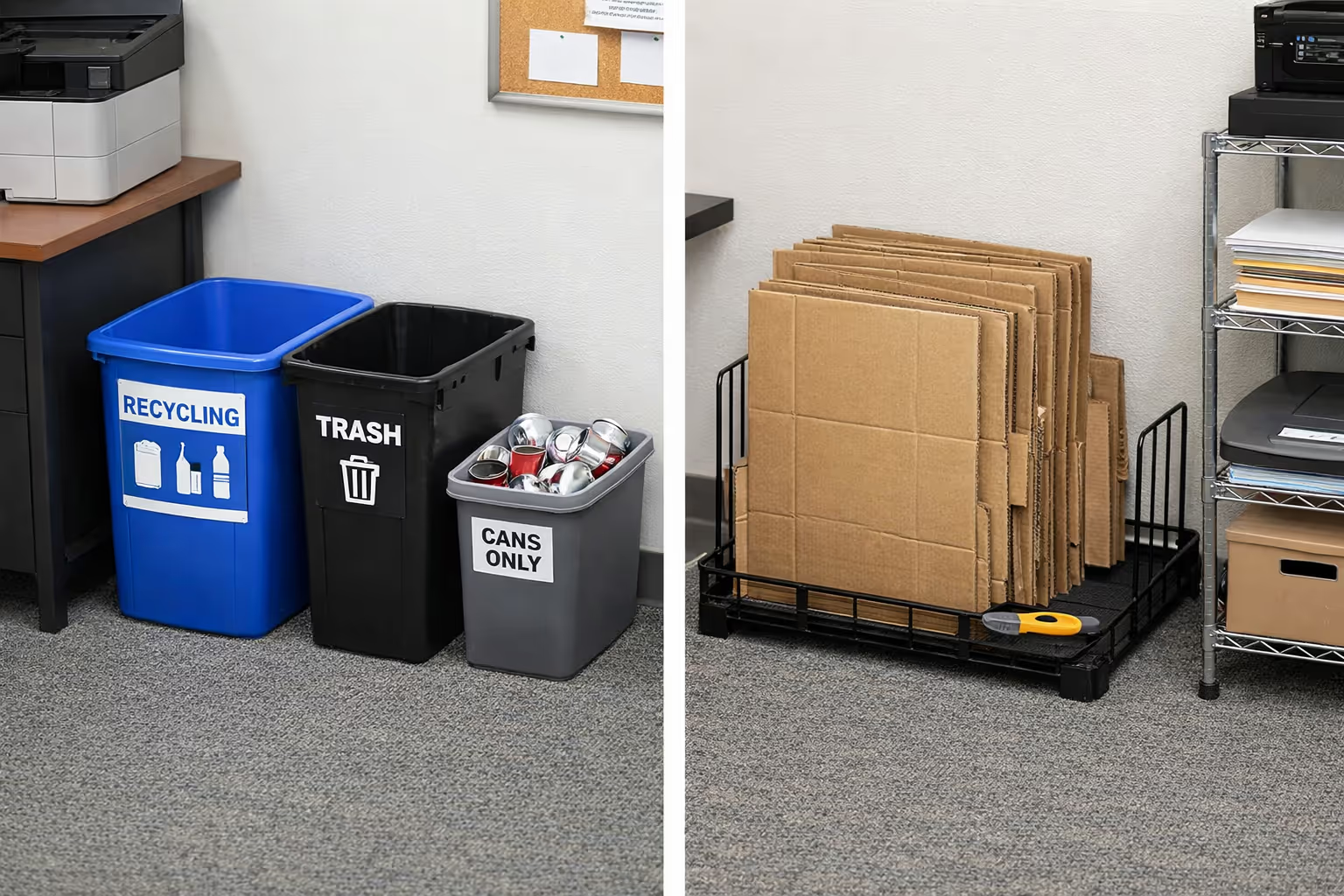
Here's the thing about IT equipment recycling Sacramento businesses handle—it's nothing like tossing cardboard in the blue bin. Those old drives contain everything from employee records to customer credit cards. One improperly disposed hard drive can expose your company to data breaches, regulatory fines, and the kind of news coverage no business wants.
Recent studies show that 42% of used devices still have recoverable data on them. That's nearly half of all electronics that get resold or recycled with sensitive information intact.
For IT directors in Sacramento, this isn't just about clearing space. It's about protecting your company, your customers, and your job.
What Equipment We Handle (And Why Commercial Volumes Matter)
Most consumer recycling programs won't touch business IT equipment. They're set up for home computers and old phones, not rack-mounted servers that weigh as much as a motorcycle.
Our commercial pickup service focuses on the equipment that actually sits in Sacramento offices and data centers. That’s why IT equipment recycling Sacramento services are designed specifically for commercial volumes, ensuring safe and compliant disposal.
Your Everyday Office Tech Desktop computers and business laptops get upgraded every few years. When they do, you're left with piles of equipment that still works but doesn't meet your current needs. Same goes for monitors, keyboards, printers, and all those cables nobody can identify anymore.
Server Room Equipment This is where things get heavy—literally. Server racks can weigh over a ton when they're fully loaded. Then there's storage arrays, networking switches, routers, and firewalls. All of it requires special handling, especially if it's staying in an active data center during pickup.
Power and Infrastructure UPS battery systems are their own beast. The lead-acid batteries common in older systems are classified as hazardous materials. Newer lithium-ion systems have strict transportation rules. Power distribution units, racks, and cabling all need proper removal to avoid damaging your facility.
We typically work with businesses that have at least 25 devices or when equipment weight makes it unsafe for office staff to handle. A single loaded server rack often needs a team of two or three people plus proper equipment just to move it safely. That’s why so many turn to IT equipment recycling Sacramento providers for help.
How Sacramento Businesses Actually Use This Service

Last month, we picked up equipment from a medical office in Midtown. They were consolidating two locations into one and had duplicate servers, workstations, and old medical imaging equipment. The imaging equipment alone required specialized handling because of the hard drives storing patient data.
The office manager told us their biggest concern wasn't the equipment itself—it was proving to their compliance auditor that patient data was properly destroyed. With HIPAA regulations, they needed documentation showing exactly what happened to every device.
That's typical for Sacramento businesses. The equipment removal is straightforward. The documentation and data security? That's what keeps people up at night—and what IT equipment recycling Sacramento services are built to address.
Chain-of-Custody: Following Your Equipment From Door to Destruction
Think of chain-of-custody like a FedEx tracking number, but for data security instead of packages. Every piece of equipment gets documented, photographed, and tracked through every step until it's either wiped clean and resold or completely destroyed.
It Starts at Your Loading Dock When our team arrives, we don't just start loading equipment. First, we verify everything against your manifest—matching serial numbers, checking asset tags, and photographing equipment condition. This creates your baseline record.
If you've got a 42U server rack with 30 different devices, we document all 30. This attention to detail matters later when auditors ask questions.
Secure Transport Our vehicles have GPS tracking, and equipment rides in sealed containers. Why does this matter? Because there's a vulnerability window during transport when equipment is between your facility and our processing center. Sealed containers with documented handoffs prevent that "where did it go?" moment that compliance officers hate.
Processing and Reconciliation At our secure facility, we reconcile everything against your original manifest. Every device gets matched to its paperwork. If something doesn't line up—say we count 31 devices but your manifest lists 30—we contact you immediately.
Then comes the actual processing. Data-bearing devices go to our destruction team. Equipment with resale value gets cleaned and tested. Materials for recycling get sorted by type.
Your Documentation Package Here's what you get at the end: a detailed report showing what happened to every single device. Which drives were destroyed. Which servers were wiped and resold. Which materials went to certified recyclers. All tied back to specific serial numbers from your original manifest.
One Sacramento credit union told us they keep these reports for seven years as part of their records retention policy. That's common in regulated industries.
Understanding Data Destruction (Without the Technical Jargon)
The government publishes guidelines called NIST 800-88 that break data destruction into three levels. Think of them like security clearance levels—the more sensitive your data, the more thorough the destruction method.
Level 1: Clear (Standard Overwrite) This is the basic level. The system overwrites your data multiple times, replacing everything with random 1s and 0s. It works well for standard business data that isn't highly confidential. Your average office computer with email and spreadsheets? Clear is usually sufficient.
The advantage is that drives can be reused after clearing. If you're selling equipment internally or donating to another department, this level provides solid protection without destroying the hardware.
Level 2: Purge (Advanced Sanitization) Purge uses more aggressive techniques—cryptographic erasure, specialized overwrite patterns, or degaussing for magnetic drives. This makes data recovery extremely difficult, even with advanced laboratory tools.
Financial services companies often require purge-level destruction. When drives contain customer account numbers, transaction histories, or trading data, standard overwriting isn't enough. The cost is higher and the process takes longer, but the security is substantially better.
Level 3: Destroy (Physical Destruction) When drives contain truly sensitive data—think health records, classified information, or trade secrets—physical destruction is the gold standard. Drives get shredded into pieces smaller than your thumbnail.
We worked with a Sacramento law firm that required physical destruction for all drives containing client information. Even though it cost more and eliminated any resale value, their risk management team wouldn't accept anything less. After one data breach that made regional news, other local firms started making the same choice.
For each destroyed device, you'll receive a Certificate of Data Destruction. It lists every drive's serial number, the destruction method used, and the date. Keep these certificates. When auditors come calling, they're worth their weight in gold.
Each level is offered by leading IT equipment recycling Sacramento providers, ensuring compliance and peace of mind for local businesses.
Making Pickup Day Run Smoothly
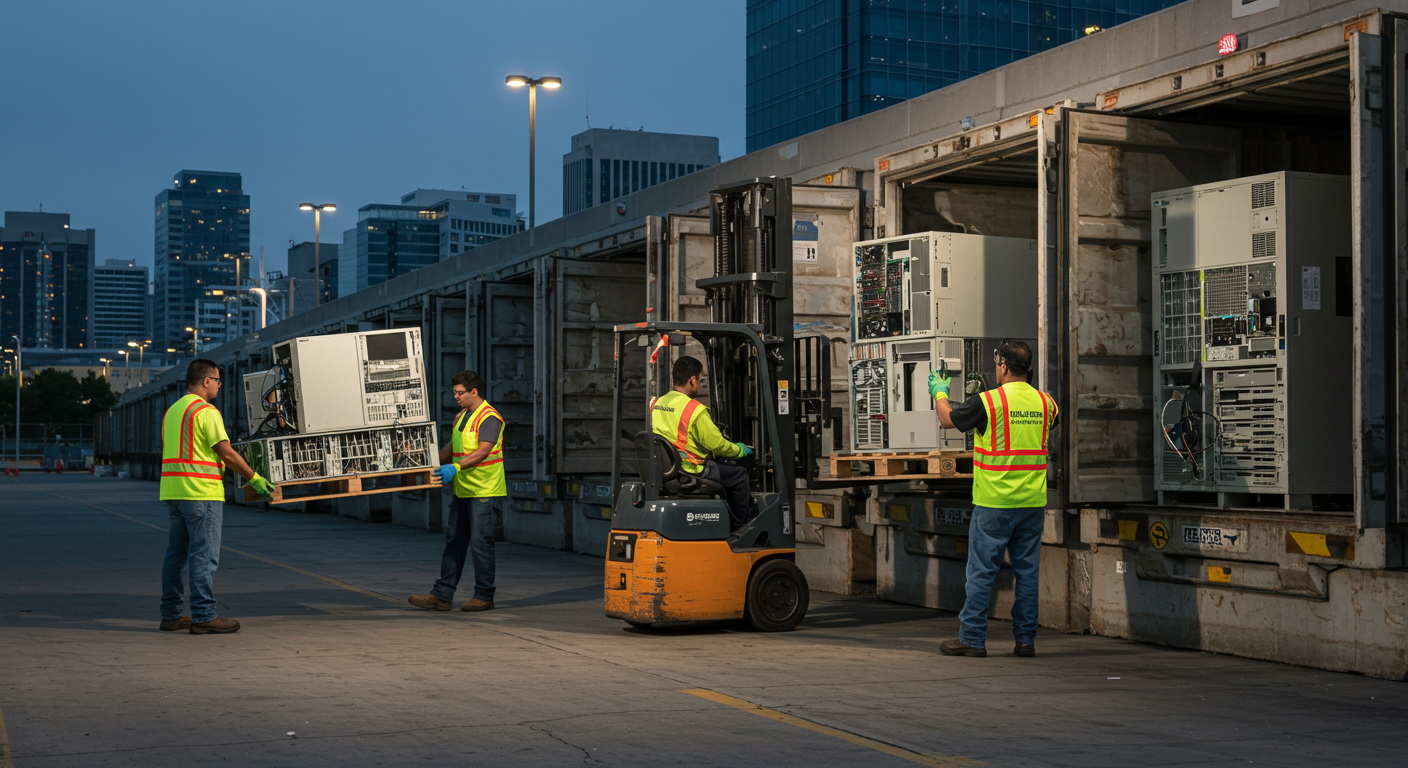
The difference between a smooth pickup and a logistical nightmare usually comes down to preparation. Sacramento buildings have their quirks—narrow service elevators, limited loading dock hours, security protocols that rival Fort Knox.
Getting Building Access Right Most commercial buildings require 48 hours' notice for vendors. You'll need to provide our insurance certificate to building management and often get our crew added to a visitor list. Some buildings require escorts. Others need parking permits for our trucks.
We had one pickup at a downtown high-rise where the loading dock was only available between 6 AM and 8 AM on Tuesdays and Thursdays. Took three trips to get everything out, but planning ahead made it work.
Staging Equipment The closer equipment is to your loading dock, the faster pickup goes. If your servers are still racked in an active data center, our team can de-rack them on-site. But that adds time. For a large decommission, budget an extra 2-3 hours for de-racking.
One tip from our crews: Have your IT team power down and disconnect cables the day before. We're not always familiar with your specific rack layout, and the last thing anyone wants is accidentally unplugging the wrong server.
Heavy Equipment Considerations That 42U server rack I mentioned earlier? When it's fully loaded with gear, it can weigh 2,000 pounds or more. UPS battery banks are even worse—hundreds of pounds of lead-acid batteries that require hazmat handling.
For these items, loading dock access is non-negotiable. We've had offices try to suggest taking everything down passenger elevators. The building engineer shut that down fast when they realized each trip would exceed the elevator's weight limit.
Real Sacramento Scheduling
Most commercial pickups happen within a week of your call, assuming your building access aligns with our schedule. Large decommissions—think entire data center shutdowns or multi-floor office relocations—need more lead time.
A local healthcare system recently gave us four months' notice for their data center consolidation. That advance planning let us coordinate with their IT team, building management, and their compliance officer to ensure everything stayed documented and secure.
Rush jobs happen too. We've done next-day pickups when office leases ended unexpectedly or when building sales forced immediate relocations. It costs more and requires schedule juggling, but it's doable for urgent situations.
All these logistics are familiar to IT equipment recycling Sacramento teams, who manage complex office and data center clearouts daily.
Getting Started With Your Pickup
Ready to schedule? Here's what we need to give you an accurate quote and timeline:
Start with a basic equipment count. You don't need exact numbers—"approximately 50 desktop computers, 5 servers, and 20 monitors" works fine. If you've got exceptionally heavy items like loaded racks or UPS systems, mention those specifically.
Let us know your building situation. Do you have loading dock access? Are there elevator restrictions? Will our crew need escorts or special clearances? These details affect crew size and time requirements.
Most importantly, tell us about your timeline. Are you working toward a specific move date? Do you have flexibility? Last-minute rushes cost more, but knowing your situation helps us provide realistic scheduling.
Once we have this information, we'll provide a quote and proposed pickup date. For standard office volumes, we can usually schedule within a week. Larger projects get a site assessment first, where we walk through your facility and finalize the logistics before pickup day.
Your Questions About IT Equipment Recycling in Sacramento
What does commercial IT equipment recycling cost in Sacramento?
Pricing varies widely based on what you're recycling and how much you have. Equipment with resale value—like recent-generation servers or networking gear—may actually generate revenue for your company. Older equipment typically incurs disposal fees. Items classified as hazardous waste (like UPS batteries) cost more due to special handling requirements.
Most providers offer free evaluations for qualifying volumes. "Qualifying" typically means commercial quantities—at least 25 devices or equipment that requires professional removal due to weight or complexity. Call with your equipment list to get specific pricing. Any reputable provider should give you a detailed quote before pickup day.
Can you explain what happens to equipment after you pick it up?
After pickup, equipment follows different paths depending on its condition and your security requirements. Data-bearing devices get their drives removed and processed according to your specified destruction level—either overwritten and resold, or physically destroyed.
Functional equipment that passes testing might be refurbished and remarketed. This extends the equipment's useful life and often generates value that offsets your recycling costs. Items without resale value get broken down into component materials—metals, plastics, circuit boards—and sent to certified recycling facilities.
You'll receive a final disposition report detailing what happened to each piece of equipment, all tied back to the original serial numbers from your manifest. This documentation supports regulatory compliance and internal audit requirements.
Do I need to remove hard drives before the pickup?
You don't need to remove drives yourself, though some companies prefer to handle this internally. Professional ITAD providers document each drive's serial number and process it according to your security requirements.
However, if your internal policies require drive removal, coordinate this with your provider beforehand. Some organizations—particularly those handling classified information or extremely sensitive data—use in-house degaussers or physical destruction before releasing equipment.
For most Sacramento businesses, leaving drives in place actually makes tracking easier. Your provider can match each drive to its parent device and provide more complete documentation.
How quickly can you schedule a commercial pickup in Sacramento?
Standard commercial pickups typically schedule within 3-5 business days after you contact us. The actual pickup takes anywhere from 30 minutes for small volumes to several hours for large data center equipment.
Large projects involving multiple racks or full facility clearances benefit from advance planning. We recommend starting the conversation 2-4 weeks before your target date to allow time for site assessment and coordination with your building management.
Rush service is available for urgent situations—office lease deadlines, unexpected building sales, emergency facility closures. These typically cost more due to schedule disruption, but we can often accommodate next-day or same-week requests if absolutely necessary.
What certifications should I look for in an electronics recycling company?
Look for R2v3 (Responsible Recycling) certification first. This third-party certification ensures the recycler follows environmental standards, manages downstream vendors properly, and maintains documented processes. R2v3 certification requires annual audits, so it's not just a one-time achievement.
NAID AAA certification indicates audited data destruction capabilities. This matters if your equipment contains regulated data—financial records, health information, or personal customer data.
ISO 14001 certification demonstrates environmental management systems. While not specific to electronics recycling, it shows the company takes environmental responsibility seriously.
For organizations in regulated industries, verify that your provider follows NIST 800-88 standards for media sanitization. This ensures data destruction methods meet federal guidelines and can withstand regulatory scrutiny.
What if our office has a mix of equipment types—computers, servers, and old printers?
Mixed loads are completely normal. Most commercial pickups include everything from desktop computers and laptops to servers, networking equipment, and printers. We handle the full range of office IT equipment in a single pickup.
The key is letting your provider know what you have upfront. A pickup that's mostly laptops requires different equipment and crew size than one with multiple server racks and UPS systems. Accurate information helps us bring the right equipment and allocate appropriate time for your pickup.
Some providers won't take certain items—older CRT monitors, for instance, or equipment containing refrigerants. Ask about any exclusions when you request your quote so you're not surprised on pickup day.
How do you handle equipment that's still in active use?
For equipment that needs to stay operational until the last minute, we coordinate around your timeline. Many data center decommissions happen in phases—non-critical systems first, then secondary systems, and finally core infrastructure.
Your IT team handles the shutdown and cable disconnection according to your operational needs. We work with your schedule, even if that means multiple pickup trips over several weeks. Some businesses schedule pickups for weekends or after hours to minimize operational disruption.
For active data centers, we often do a walkthrough first to understand your power distribution, cooling systems, and any equipment that must stay operational during the transition. This planning prevents accidental disruptions and keeps your systems running smoothly until you're ready to shut them down.
What documentation do we receive after the pickup?
Your documentation package includes several key components. First, an inventory reconciliation report matching every device from your original manifest to what we physically received. This confirms nothing was lost or misplaced during pickup.
Next, Certificates of Data Destruction for every data-bearing device. These certificates list specific serial numbers, destruction methods used, and dates of sanitization. They're formatted for audit compliance and regulatory requirements.
You'll also receive a final disposition report detailing what happened to each piece of equipment—which items were destroyed, which were remarketed, and which materials went to certified recyclers. This includes manifests from downstream recycling partners showing the final destination of materials.
Most providers deliver these documents within 5-10 business days after pickup. Keep them with your permanent records. Organizations in regulated industries typically retain these certificates for 5-7 years as part of their compliance documentation.
Works Cited
[1] 4THBIN — "What Every Organization Needs to Know About IT Asset Disposal." https://www.4thbin.com/blogs/it-asset-disposal. Accessed: November 7, 2025.
[2] Deel — "How to Handle IT Asset Disposition in 2025: A Complete Guide." https://www.deel.com/blog/it-asset-disposition/. Accessed: November 7, 2025.
[3] Securis — "Top Data Center Decommissioning Companies 2025." https://securis.com/news/top-data-center-decommissioning-companies/. Published: April 22, 2025. Accessed: November 7, 2025.
[4] SK Tes — "Data Center Decommissioning | Secure Decommissioning as a Service." https://www.sktes.com/it-services/data-center-decommissioning. Accessed: November 7, 2025.
[5] Securis — "NIST 800-88: Secure Data Destruction Standards." https://securis.com/blog/nist-800-88-data-destruction/. Published: July 14, 2025. Accessed: November 7, 2025.
[6] SK Tes — "What is NIST 800-88, and what is meant by Clear, Purge, and Destroy?" https://www.sktes.com/news/what-is-nist-800-88. Published: February 15, 2022. Accessed: November 7, 2025.
[7] ITAMG — "IT Asset Disposition [ITAD] Services for Businesses." https://www.itamg.com/itad-services/. Accessed: November 7, 2025.
[8] GrowRK — "Complete guide to IT asset recovery and disposition in 2025." https://growrk.com/blog/it-asset-recovery-process. Published: October 6, 2025. Accessed: November 7, 2025.
[9] National Institute of Standards and Technology — "NIST Special Publication 800-88 Revision 1: Guidelines for Media Sanitization." https://csrc.nist.gov/pubs/sp/800/88/r1/final. Accessed: November 7, 2025.
[10] Human-I-T — "Data Center Recycling: Limits of E-Waste Recycling Solutions." https://www.human-i-t.org/data-center-recycling/. Published: September 7, 2025. Accessed: November 7, 2025.